
How to remove calendar notifications from Windows lock screen
These step-by-step tutorials will show you how to remove calendar notifications or reminders from the Windows 10 and 11 lock screen.
How to remove calendar notifications from Windows 10 lock screen
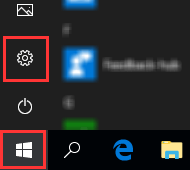
- Click or right-click on the Windows start menu button.
-
Click on Settings.
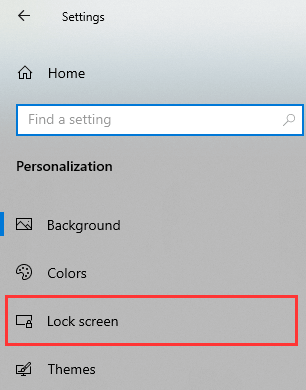
- Click on Personalization.
-
Click on Lock screen.
-
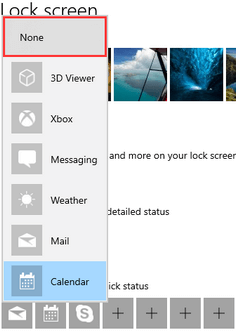
Click on the calendar icon located under Choose an app to show detailed status.

-
Select None.
- Close the settings window.
Windows 10 will no longer show calendar notifications on the lock screen.
How to remove calendar notifications from Windows 11 lock screen
-
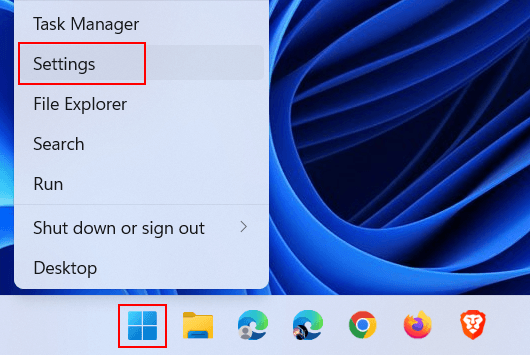
Right-click on the Windows start menu button.

-
Click on Settings.
-
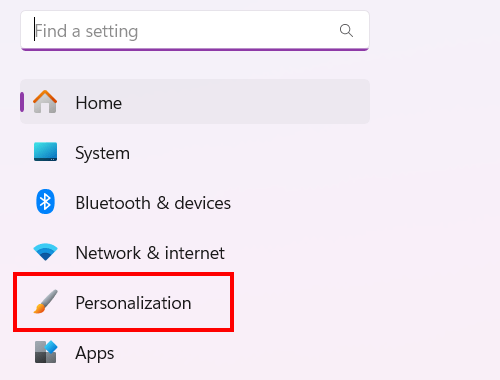
Click on Personalization located in the left menu.
-
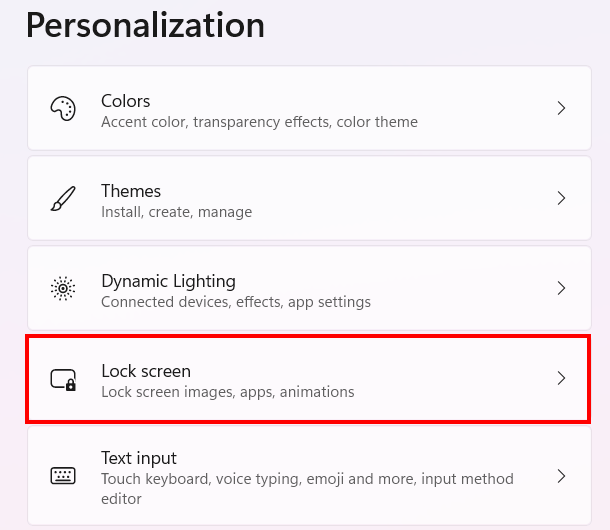
Click on Lock screen.
-
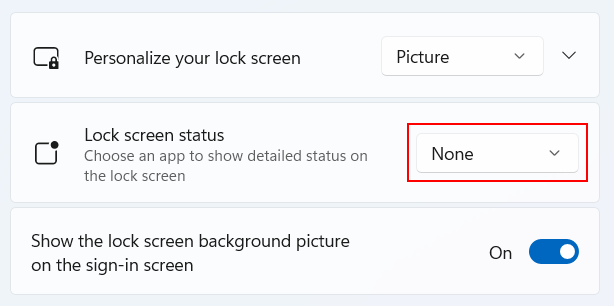
Select None at Lock screen status.
- Close the settings window.
Windows 11 will no longer show calendar notifications on the lock screen.
Related:
How to disable a Microsoft account in Windows calendar
How to turn off calendar notifications in Windows 10 and 11