
How to make your PC power button "do nothing" when pressed
Accidentally bumping your power button shouldn't mean losing your work. Whether it’s a cat jumping on your desktop or a misplaced finger on your laptop's edge, the "Standard" power button setting can be a liability.
If you’re wondering how to make a PC do nothing when you press the power button, it’s actually quite simple. By adjusting your system's power settings, you can prevent your laptop or desktop from powering off instantly.
In this guide, we’ll show you how to configure your PC so the button effectively does nothing while the computer is already on. We’ll focus on Windows 11, though these steps remain the same for those still using Windows 10.
Good to know
- Turning it on: This setting only affects the button while your PC is running. It will still work normally to turn your computer on.
- Emergency stop: If your PC freezes, you can still force it to shut down by holding the power button for 10 seconds. This is a hardware safety feature that cannot be disabled.
Method 1: Windows 11 settings
This is the most direct way for modern users.
-
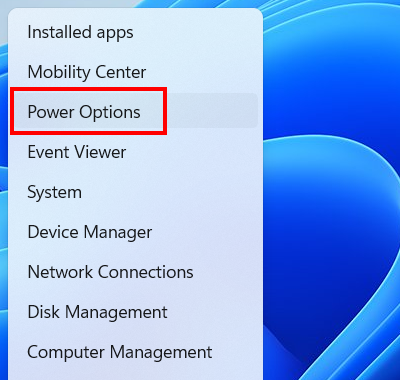
Right-click the Windows start menu button.

-
Click Power Options.
-
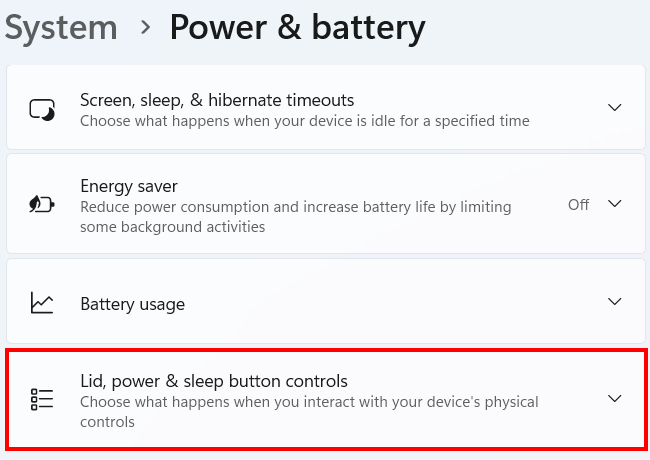
Click Lid, power & sleep button controls.
-
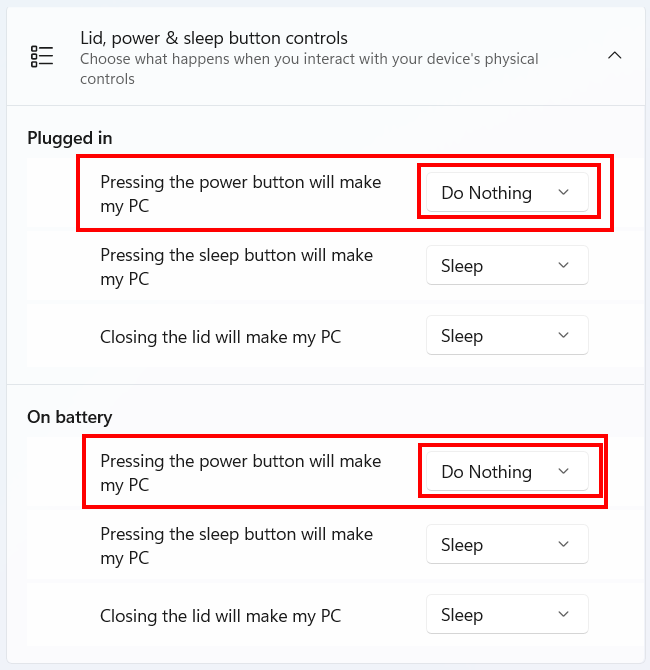
Set the Pressing the power button will make my PC option to Do Nothing. If you're using a laptop, you'll need to set it for both plugged-in and battery modes.
- Close settings.
Method 2: Control Panel (legacy / Windows 10)
Use this method if you are on an older version of Windows or if you prefer the classic interface.
-
Click the Windows start menu button or search bar or icon.

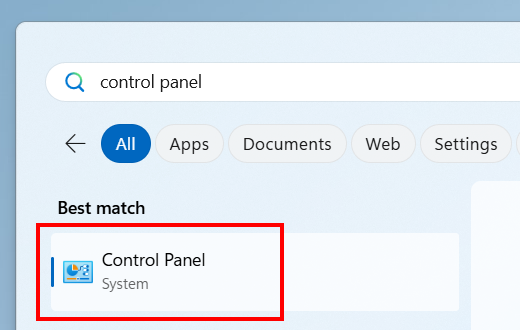
- Type control panel.
-
Click Control Panel when it appears in the search results.
- Click Hardware and Sound.
- Click Power Options.
-
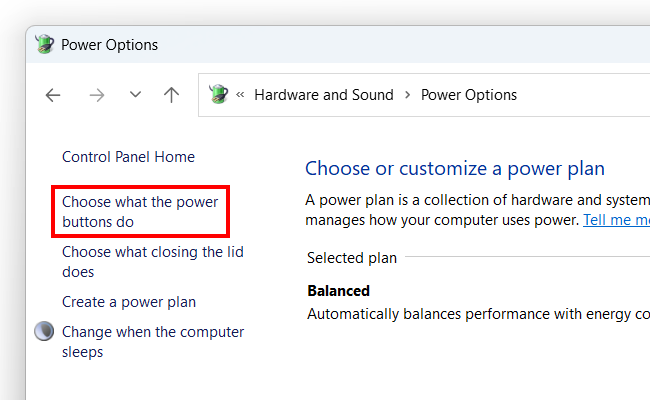
Click Choose what the power buttons do.
-
Set the When I press the power button option to Do nothing. If you're using a laptop, you'll need to set it for both plugged-in and battery modes.
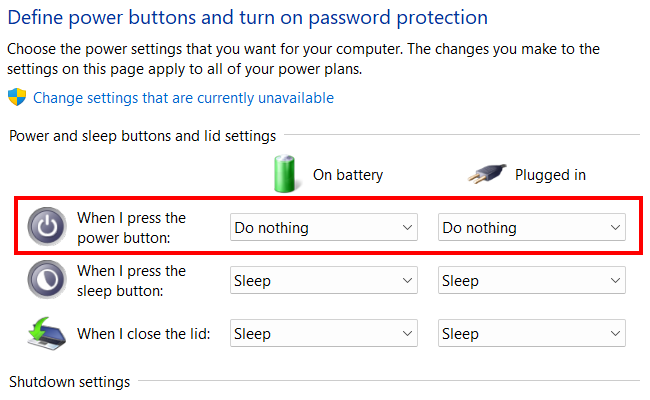
- Click Save changes at the bottom of the window.
Note on Windows 10: While Microsoft ended support for Windows 10 in October 2025, the steps to change your power settings remain identical to the Windows 11 'Control Panel' method. If you haven't upgraded to Windows 11 yet for security reasons, you can still use the instructions above to silence your power button.
Related:
How to stop Windows 11 from turning off your computer screen
How to keep your laptop on with the lid closed on Windows 11