
How to show all icons in the system tray on Windows 11
This step-by-step tutorial will show you how to show all icons in the system tray on Windows 11.
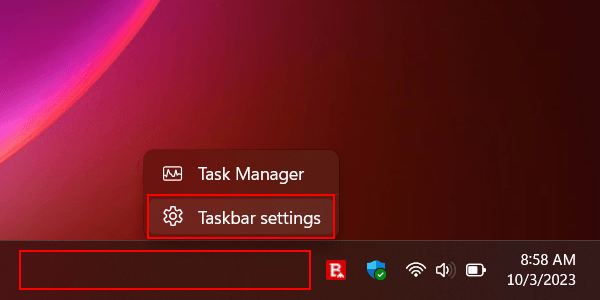
- Right-click on the taskbar.
-
Click Taskbar settings.
-
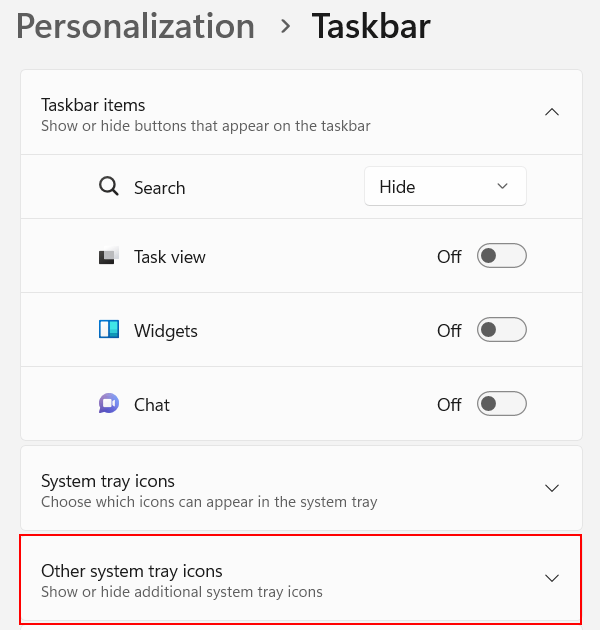
Click Other system tray icons.
-
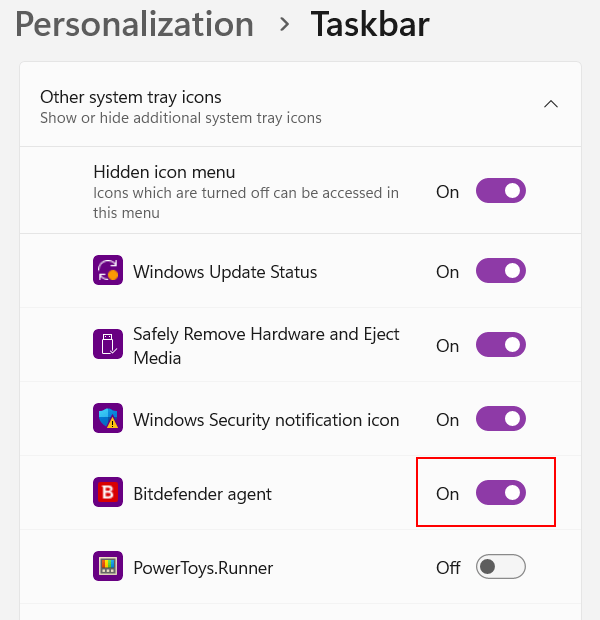
Turn on the toggles for the icons you always want to show in your Windows 11 system tray.
- Close the settings window when you're done.
Related:
How to make the Windows 11 clock show seconds