
How to stop videos from automatically playing in Brave
These step-by-step tutorials will show you how to stop videos from automatically playing on websites in the Brave web browser.
The steps on this page work for blocking autoplay videos on websites such as YouTube, Facebook, Instagram, TikTok, and X (Twitter) in the Brave web browser on Windows, macOS, and GNU/Linux computers, as well as on Android phones and tablets from Samsung, Google, Motorola, Lenovo, Nokia, OnePlus, Oppo, Xiaomi, and other manufacturers.
How to stop videos from automatically playing in Brave on a computer
Video ↓
-
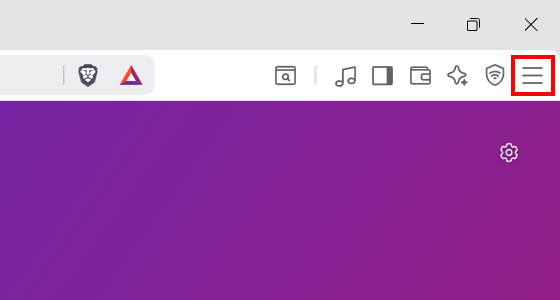
Click the menu button in the top right corner of Brave.
-
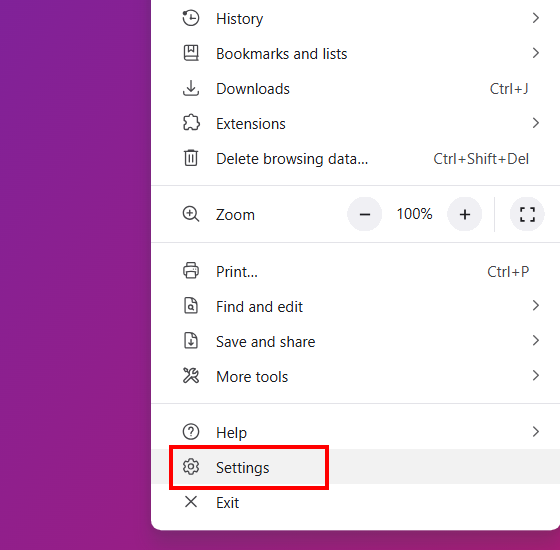
Click Settings.
-
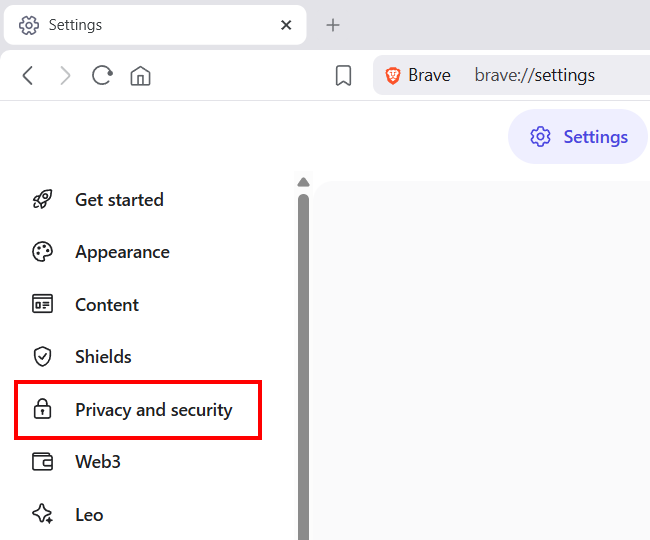
Click Privacy and security.
-
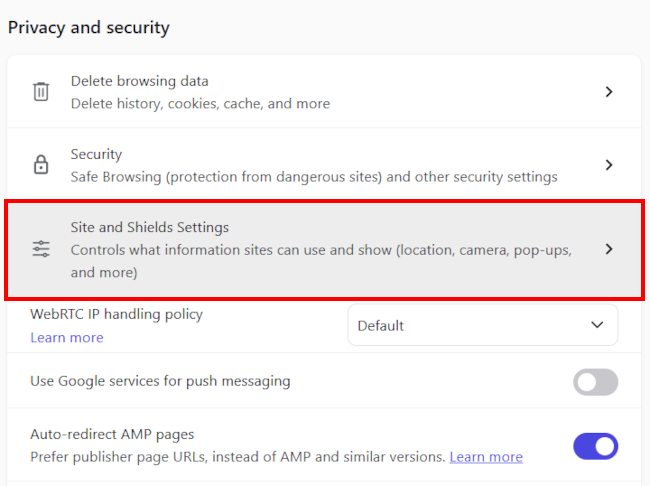
Click Site and Shields Settings.
-
Click Additional permissions.
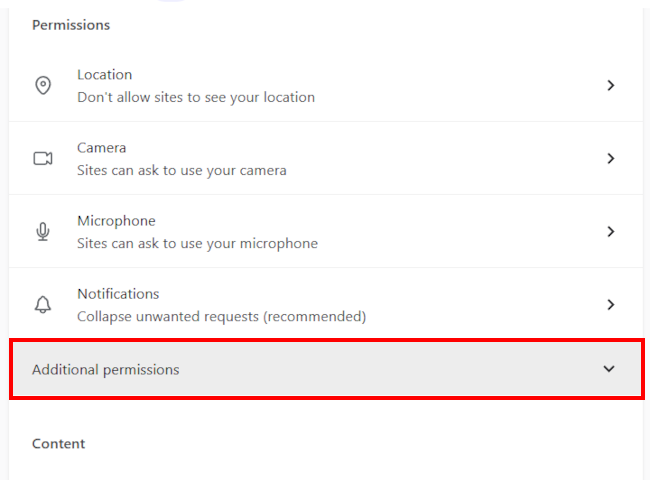
-
Click Autoplay.
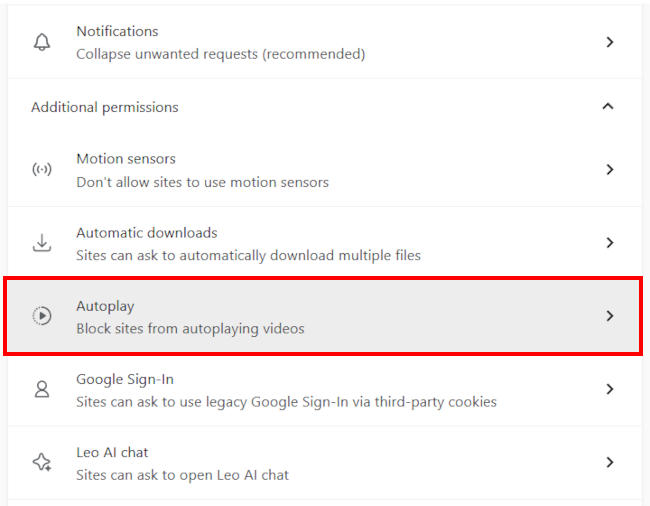
-
Select the Block sites from autoplaying videos option.
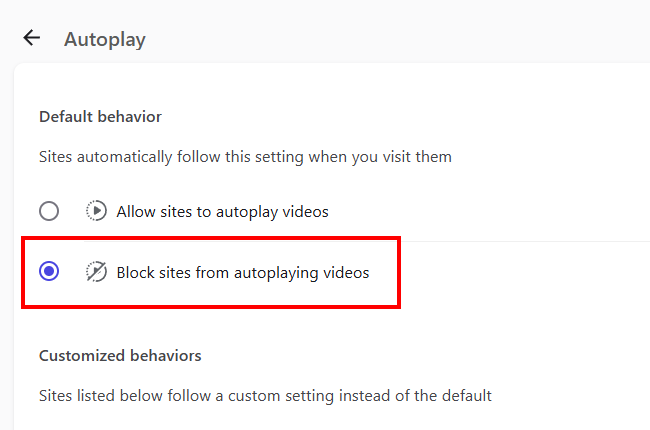
- Restart Brave.
Videos will no longer play automatically in Brave.
How to stop videos from automatically playing in Brave on Android
Video ↓
-
Tap the menu button in the top right corner of Brave.
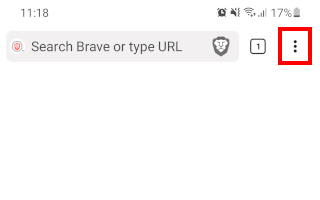
-
Tap Settings.

-
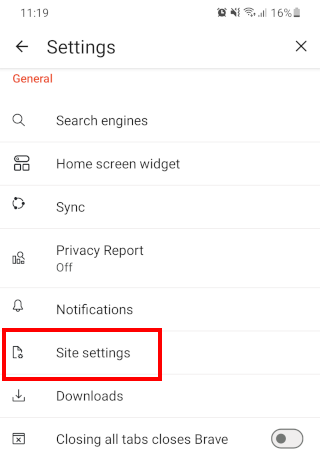
Tap Site settings.
-
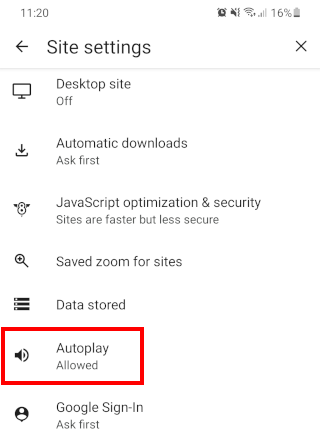
Tap Autoplay.
-
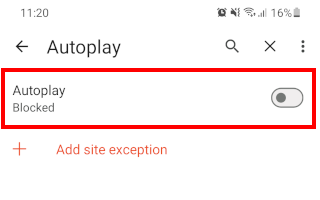
Tap Autoplay to disable this option.
- Restart Brave.
Videos will no longer play automatically in Brave.

Related:
How to stop videos from automatically playing in Firefox
How to stop videos from automatically playing in Samsung Internet
How to stop websites from asking for your location in Brave
How to make the Brave browser ask where to save downloads
How to make the Brave browser stop asking to save passwords