
How to show the home button in Firefox
This step-by-step tutorial will show you how to display the home button in the Firefox web browser on a computer.
Video ↓
The home button (also known as the homepage or start page button) is the button with the house icon that takes you directly to your browser's homepage when you click it. The home button is hidden by default in the toolbar of Mozilla Firefox. You can add it to the toolbar in just a few simple steps.
How to display the home button in Firefox
-
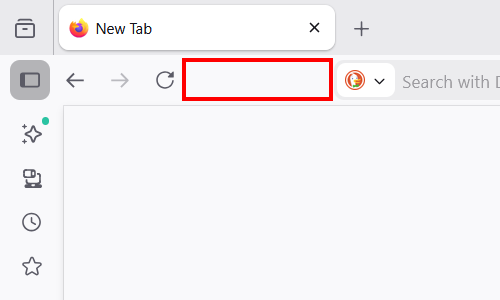
Right-click the toolbar in Firefox.
-
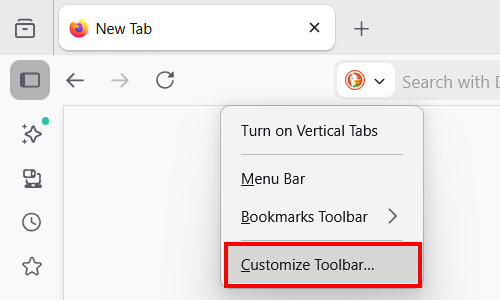
Click Customize Toolbar.
-
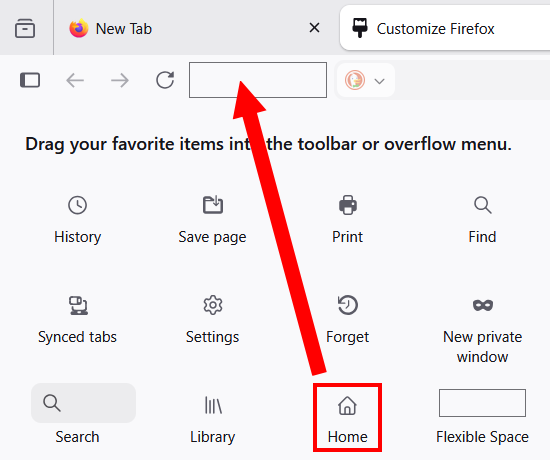
Click and hold the Home button and drag it to the toolbar.
-
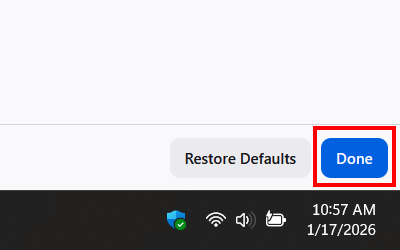
Click Done in the bottom right corner of Firefox.
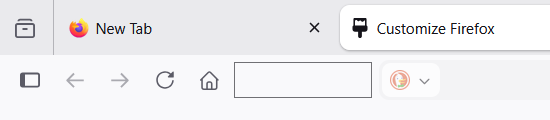
The Home button now appears in the Firefox toolbar.